
Having gotten addicted to the ease of coding having AI code for me, I tried my hand at another project this week. All I can say is that I continue to be blown away by what AI is able to do—at least when it comes to HTML coding, which is used to display content in a web browser.
If you’ve been a reader of Curated Compositions for a while, you know that I have an affinity for teaching people about geography and the location of countries in the world. I’ve published a few guides out there to help people memorize the names and locations of certain countries in North America and Central America, South America, and Europe (in three parts). As part of those posts, I shared websites that quiz you on country locations. For this particular coding project, I had AI make my own quiz game.
Last week I used Anthropic’s Claude to do the programming (for me); this week I used OpenAI’s Codex.
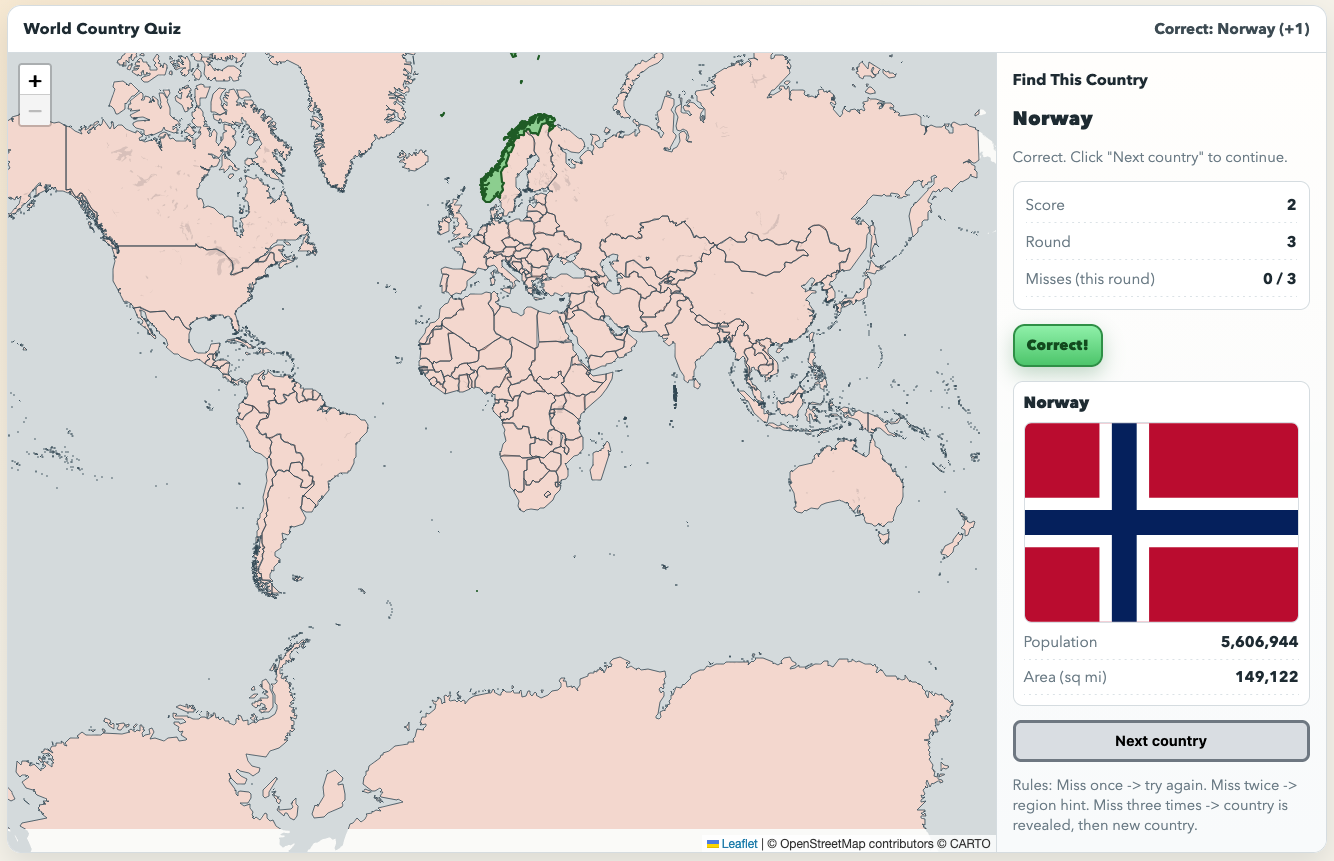
Here’s a screenshot of the game:
You can play it here.
A few overall notes:
The entire process occurred over the course of the week as I had free time. Added up, the back and forth with Codex only took me a total of ~30 minutes. And in that time, I had a fully-functioning, shareable map game that does the following:
Shows a map of world that you can pan and zoom
Asks you to identify the location of a specific country on the map
If you click on the correct country, it highlights that country in green, then says “Correct” and shows you that country’s flag, population and area
If you click on an incorrect country, it allows you to try again. If you are wrong a second time, it highlights the region of the world that country is in. If you are wrong a third time, it says “Incorrect” and then shows the location.
According to Codex, the game contains 735 lines of code and required “meaningful amounts” of CSS and JavaScript logic. ChatGPT tells me that for a human to do that quantity and type of coding would take an experienced developer between 1 to 2 days (8 to 16 hours) and a beginner 1-2 weeks.
I had to download the Codex app to my computer and used it to do the vibe coding.
I pay for ChatGPT Pro, so I did not hit any usage limits. Codex tells me that if you had the free version, “You could still build it on a free tier, but you’d usually hit limits faster (message caps, smaller context window, slower/more fragmented iteration), so it would likely take more sessions and more manual stitching together.”
Just like the last app I
builtused AI to build, I am having Netlify host this app for free
A few notes on the process I followed:
I didn’t immediately start with a world map, I started with the prompt, “Can you create a map of east asia that when I mouseover a country it tells me what country that is.” The first version was absolutely terrible:
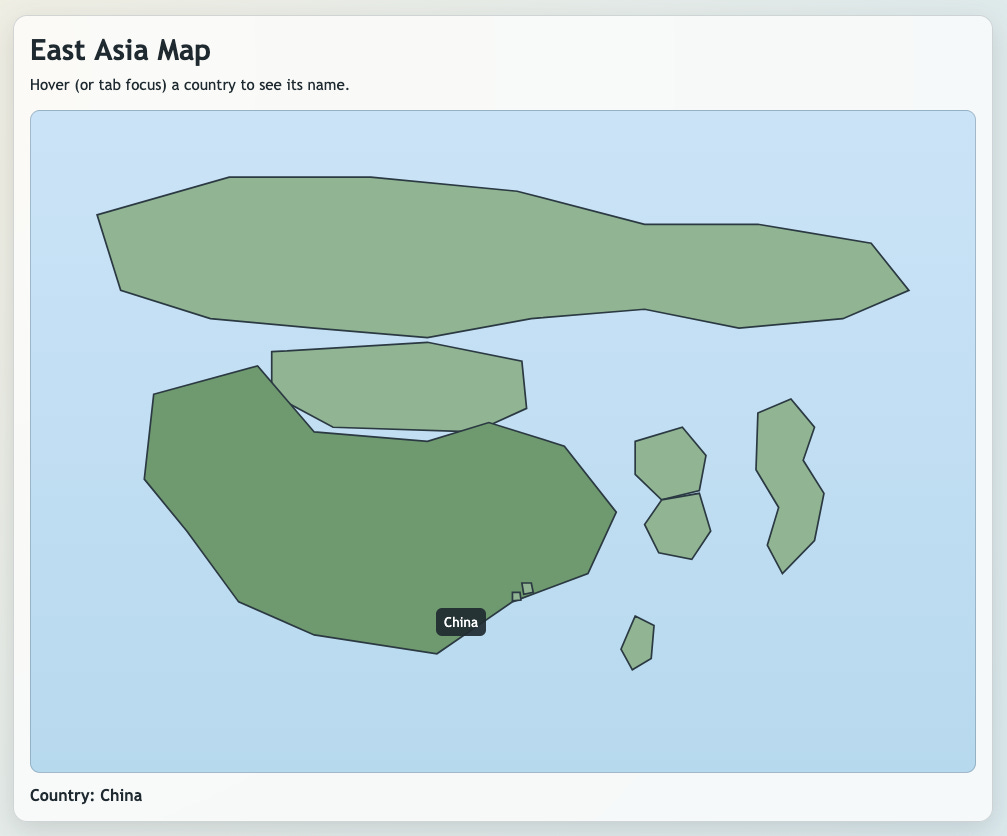
So, I said as much:
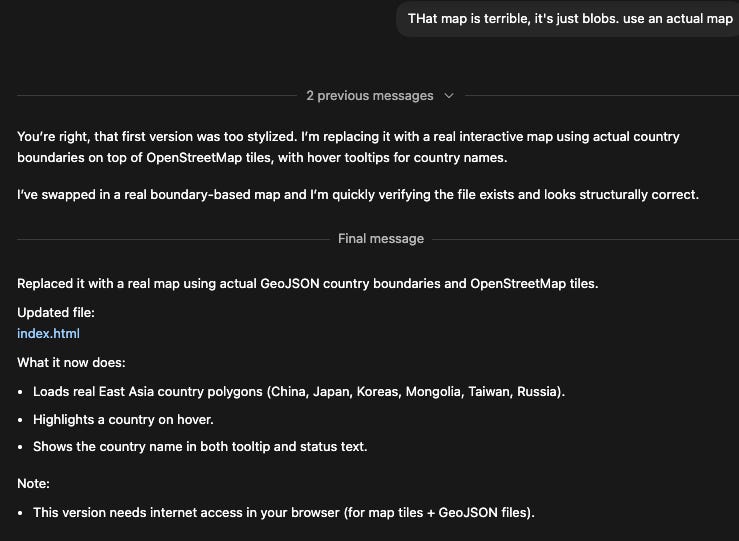
After that, things went much better, but still required tweaks along the way.
Once Codex got the base map and mouseover correct, I proceeded with the following prompts:
“Now, can you make it so that when I click on a country you open up a side panel that shows that country’s flag, area size, and population? If so, please proceed.”
“Can you make an entire world map like this? If so, please proceed.”
“Ok, using all of this as a starting ground, let’s make a game. I want you to provide me the name of a country, if I click on the correct country, i get a point, then you provide me another country and so on. If I fail to get the country correct, you tell me to try again. If I fail a second time, then you highlight the continent it is on and I guess again. If I get it wrong a third time, then you highlight the country yourself and then give me a new country to find. make sense?”
“a few things are wrong with the game: 1) I don't want the country name revealed when i mouse over it, 2) the region highlight isn't working after the second fail, 3) once the user selects the correct country or they don't and the country is revealed, it immediately moves on to the next country. Instead, I want the country to remain highlighted and a button to be added that says "next country" once the user clicks on that button a new country name is revealed for them to find.”
“This good; however, the region highlight still isn't working. Let's do it this way: let's categories all countries as being in the following regions, and then use these regions as the ones you highlight: (North America, Latin America & Caribbean, Europe, Africa, Middle East, Central Asia, South Asia, East Asia, Southeast Asia, Oceana)”
This problem took a few more “nope, this isn’t working, do better” prompts, but AI eventually fixed the problem.
“Excellent, this is great! Next add: make a big green image that appears on the right in green that says “Correct!” when the user gets it correct”
“Well done. FOr the next change: the underlying map shows the country names (in their native language). Is there a map out there that is exactly the same as the one you’re using that does not have the names of the countries?”
“well done. next changes: 1) add red banner that says "Incorrect" if they are not successful in finding the country (just like the green button for when they got it correct. 2) once the country is revealed (whether correct or incorrect), also show on the right their flag, population, and area (in square miles)”
As you can see above, my grammar and instructions are very loose (incorrect capitalization, missing words, improper punctuation, vague wording)—thus the “vibe” part of vibe coding. But, I did try to be specific with problems I was seeing and changes I wanted.
Overall, I continue to be very impressed with what I can do considering I know very little about programming.
Lastly, I probably killed a tree or two by using filler words like “please,” “well done,” and “excellent.” Who knows how much computing power and energy that ate up and how many more data centers are needed to process my niceties. I try to be nice to AI so that in the future, when Terminator comes to my house, he remembers that I was kind to his ancestors.